GS1 Definitions
GS1 definitions contain the rules and descriptions that Barcode Studio uses to validate GS1 data and display Application Identifiers in the Data Assistant. GS1 periodically adds identifiers or updates existing rules.
Access via Tools > GS1 Definitions....
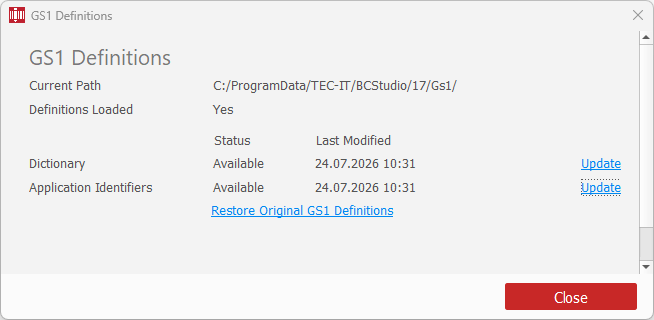
The dialog shows the location and load status of the active definitions. It also shows whether the Dictionary and Application Identifiers files are available and when they were last modified.
Download definition updates from the official GS1 sources:
| Definition | File |
|---|---|
| Dictionary | gs1-syntax-dictionary.txt |
| Application Identifiers | GS1_Application_Identifiers.jsonld (JSON-LD dataset) |
Updating GS1 Definitions
- Download the required file from the source listed above.
- Open Tools > GS1 Definitions....
- Click Update next to the definition you want to update.
- Select the downloaded file and confirm the replacement of the current definition file.
- To update both definitions, update the Dictionary first and the Application Identifiers second.
- Close the dialog after all required updates have completed successfully.
Changes take effect after you close the GS1 Definitions dialog. Barcode Studio then restarts automatically. You can update both definition files before closing the dialog.
Restoring the Original Definitions
If the active definitions differ from the originals supplied with Barcode Studio, the Restore Original GS1 Definitions link appears. Click the link and confirm the operation. The restored definitions take effect after you close the dialog.